From demo to production
Illustrative example · sample project
1 blockerno RLS on posts
fixed by
Claude Code
75 → 95re-checked
main · v0.4.1
1 blocker
repo
northfield/posts-appDetectedReady
auth
ClerkCallbacks matchReady
web
posts-app.vercel.app2 env vars missingReview
database
public.postsNo RLS policyNot ready
payments
/api/stripe/webhookSignature checkedReady
Services
cache
email
monitoring
SentryNot wired inReview
Last check just now · on this computer
Scan
Fix
Re-check
Launch
supabase/migrations/0001_posts.sql
1create table public.posts (
2 id uuid primary key,
3 user_id uuid,
no RLS: check access
for roles with write grants
fixed in 0002 · re-checked ✓
Your stack
Reads the stack you already ship on
The check
Reads, finds,
Reads, finds,
hands it over
- 01Reads your stack
From the files you already have
- 02Marks what will break
On the exact file and line
- 03Hands your agent the fix
Then checks again
posts-app · launch review01 / 03
supabase/migrations/0001_posts.sql
1create table public.posts (
2 id uuid primary key,
3 user_id uuid,
4 body text
5);
6alter table posts enable row level security;
7create policy "owner" on posts
8 using (auth.uid() = user_id);
no RLS: check roles and grants
re-checked · 75 → 95
Agent hand-off
File · line · next step
Review
the prompt Run the checks again
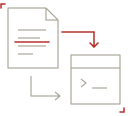 Review
the prompt Run the checks again
Hand-off
Your agent gets
Your agent gets
a focused prompt
- Claude Code, Codex and Gemini CLI
- The prompt names the file and line
- Re-checks before it calls it fixed

Findings
Every finding, redlined
Run it before
your users do
Run the check
$ npx -y viberavencopied
Example checklistposts-app
- No blockers in the code
- Row level security on every table
- Stripe webhook signature checked
- Env vars set in production
- Error monitoring wired in
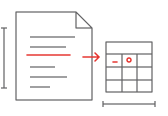
Free Supabase RLS checker
Paste your migration SQL or drop the .sql files. It lists public tables without row level security, using (true) policies and security definer functions the anon key can call, with the file and line. It runs in your browser and sends nothing.
Check your migrationsCommon questions
- Is the Supabase anon key safe to expose?
- Why is my Supabase RLS policy not working?
- How do I test Supabase RLS policies?
- What is the difference between USING and WITH CHECK in a Supabase RLS policy?
- How do I find Supabase tables missing RLS in my migrations?
- Supabase anon key vs service role key: what is the difference?
- Supabase service role key leaked or exposed: how do I rotate it?
- Is Supabase safe for production?
- What do the Supabase Security Advisor warnings mean, and how do I fix them?
- My Lovable + Supabase app launches Friday. What should I check first?